Gate 1
For Importers, Distributors, Supermarkets and Private-Label Brands
OEM Appliance Packaging Artwork Approval
Control the color box, rating label, manual, barcode and master-carton mark before printing. One approved file register prevents conflicting versions from reaching production, inspection and destination warehouses.
Wholesale only. MOQ starts from 1000 PCS. No public prices or one-piece orders.
Direct Buyer Answer
What should an importer approve before OEM appliance packaging is printed?
Before printing, approve the exact product model and electrical version, packaging dieline, logo file, product images, claims, color references, barcode number and ownership, rating-label data, manual language, importer or distributor information where required, master-carton marks and every file revision. The final release record should identify the approver, approval date, effective SKU and production order. A screenshot or an undated chat message is not a controlled print file.
Packaging is part of the product delivered to the market. A correct appliance inside a box with the wrong voltage, barcode, language or model image can still create customs, warehouse, retail and after-sales problems. Artwork control therefore belongs between sample approval and production release, not at the end of packing.
Information Ownership
Separate buyer-owned content from factory-verified product data
| Information | Primary source | Approval question |
|---|---|---|
| Brand name and logo | Buyer or authorized brand owner | Is the supplied vector file authorized, final and assigned to the correct SKU? |
| Retail barcode | Buyer or authorized barcode owner | Does the number belong to the buyer, match the selling unit and scan from the printed proof? |
| Product specification | Approved sample and factory specification | Do capacity, power, voltage, frequency, plug, accessories and model identity match? |
| Market claims | Buyer, supported by applicable evidence | Can every performance, material, certification and origin statement be supported for this model? |
| Manual and warning language | Buyer market requirement plus approved technical content | Are languages, instructions, warnings and contact details correct for the intended market? |
| Carton shipping marks | Buyer and logistics plan | Do PO, SKU, quantity, destination and handling marks match the final packing plan? |
The factory can check whether artwork aligns with the selected product and production process. The buyer remains responsible for authorizing its brand, barcode, market language and commercial claims. Neither side should silently guess missing market information.
Eight Release Gates
Move from editable artwork to one production-ready package
Gate 2
Issue the correct dieline
Use the final retail-box and master-carton dimensions. A dieline from another model can create text, fold and image-position errors.Gate 3
Check technical data
Reconcile rating-label data, box specifications, manual content and actual product configuration on one SKU basis.Gate 4
Control languages and claims
Review spelling, translation, warnings, brand statements, capacity and performance claims before print release.Gate 5
Verify barcode and marks
Confirm number ownership, placement, quiet zone, printed contrast and carton identification instead of relying only on an on-screen image.Gate 6
Approve a color proof
Use a defined color reference or physical proof when brand color is commercially important. Screen color alone is not a print standard.Gate 7
Freeze file revisions
Record filename, revision, date, SKU and approver. Withdraw obsolete versions so production cannot select the wrong attachment.Gate 8
Check first printed output
Compare the first printed box, label and manual with the released files before the complete packaging quantity is used.Artwork File Register
Give every packaging component a traceable identity
| File or sample | Minimum control fields | Release evidence |
|---|---|---|
| Product logo artwork | SKU, location, dimensions, color and application method | Approved vector file and placement drawing |
| Rating label | Model, voltage, frequency, power and required marks | Approved PDF plus product-version check |
| Color box | Dieline revision, languages, images, claims, barcode and print colors | Signed or dated approval file and color reference |
| User manual | Model, language, operating sequence, warnings and contact information | Final paginated PDF and content approval |
| Master-carton mark | PO, SKU, quantity, dimensions, weights, destination and handling marks | Approved mark file matched to packing data |
| First printed sample | Printer batch, date, SKU and compared file revision | Photos, physical sample or documented approval |
Use filenames that reveal the product and revision, for example Buyer_Model_ColorBox_R03_20260728.pdf. The naming pattern is less important than consistency. “Final,” “final-new” and “use-this-one” are not reliable version controls.
Barcode Evidence for OEM Buyers
The barcode scans. Is the OEM box ready for print release?
Not from a successful scan alone. Reading a printed symbol, confirming its product identity, measuring print quality and accepting it into a sales channel answer different questions. Keep four separate results instead of one general “barcode approved” status.
1. Decode
What did this reader receive?
Record the decoded identifier, sampled package, artwork revision, reader and date. Compare the output with the approved number and human-readable text. A successful read records that observation; it is not a print-quality grade.2. Identity and authority
Does the code belong to this selling unit?
Reconcile the decoded identifier with the buyer-authorized product record, included accessories and packaging level. For a GS1 identifier, a registry lookup supplies company and available product data; it does not replace the buyer’s authorization or resolve an unexplained mismatch.3. Printed-symbol quality
What was actually verified?
When verification is required, retain the report for the physical printed sample, including the method, applicable specification, equipment, conditions and result. A phone scan or artwork screenshot is not that report. Agree the appropriate verification scope with the buyer and qualified provider; do not invent a universal passing grade.4. Channel acceptance
Has the receiving system accepted this item?
Keep the buyer’s item-setup or channel-check result separately. Correct decoding, a matching registry record or a print-quality report does not guarantee retailer listing, warehouse acceptance or shipment release.Hypothetical example, not a Yaoyuan order: a blender-bundle box scans successfully, but the buyer’s item record describes a blender without the included accessory set. Record “decoded” for the scan and “mismatch—open” for identity. Do not invent a replacement number or approve printing from the scan; ask the authorized owner to resolve the product record and artwork, then repeat the affected checks.
For each result, retain its evidence reference, sample and revision, date, reviewer, unresolved question and permitted next action. Missing evidence stays pending. Use the existing packaging-level and retailer-data controls to define which item each record concerns. These are buyer review steps, not a claim that Yaoyuan has performed barcode verification for your order.
An initial quotation can still proceed with barcode questions open. Add the model, quantity, country, plug, voltage, packing, OEM request and destination port to the OEM artwork brief; flag the unresolved code or channel requirement before print release.
Technical references: GS1 UK: scanning versus verification, section 8; GS1: registry identity checks. Reviewed 14 September 2026; use the applicable current specification for the actual symbol and scanning environment.
Release Blockers
Do not print while these conflicts remain open
Model data conflicts
The box, manual and rating label describe different capacities, power values, voltage versions or accessories.
Unapproved market claims
A certificate, material, performance or origin statement appears without model-specific support or buyer authorization.
Barcode ownership is unclear
The number was copied from a sample, previous SKU or third party without confirmation from the buyer.
Translation has no owner
No authorized person has checked the market language, warnings, product name and customer-service information.
Several files are called final
Sales, design, procurement and logistics hold different revisions without a single release register.
Packing dimensions changed
The artwork still uses an old dieline after the product, accessories or protective packing changed.
Factory Return Package
What the buyer should receive after artwork release
Approved Index
One file list
A register showing every current file, revision, approver, approval date and applicable SKU.Production Evidence
First-output photos
Clear views of the printed box, label, barcode, manual cover and carton mark before full packing continues.Inspection Reference
Checkpoints for release
The inspection team can verify the correct files, placement, visible print quality, included documents and carton identity.Repeat-Order Record
Reusable approved version
The next PO can identify whether the same artwork remains active or requires a controlled revision.Artwork approval does not by itself approve mass-production quality, compliance, shipment or delivery. It creates the packaging reference that production and inspection can use together with the approved product, purchase order and quality plan.
Artwork-to-Packing Evidence Chain
Use packing footage only after the artwork revision is released
Step 1
Identify the authorized revision
Connect the exact PO and SKU to the approved color box, label, manual, barcode and master-carton mark revisions.Step 2
Match the packing BOM
Confirm the product, accessories, inner protection, inserts, retail box, labels and master carton that belong to that released revision.Step 3
Record the first packed unit
Use a dated first-packed-unit record to compare visible artwork, barcode, language, protection and included parts before full packing continues.Step 4
Reconcile quantity and inspection
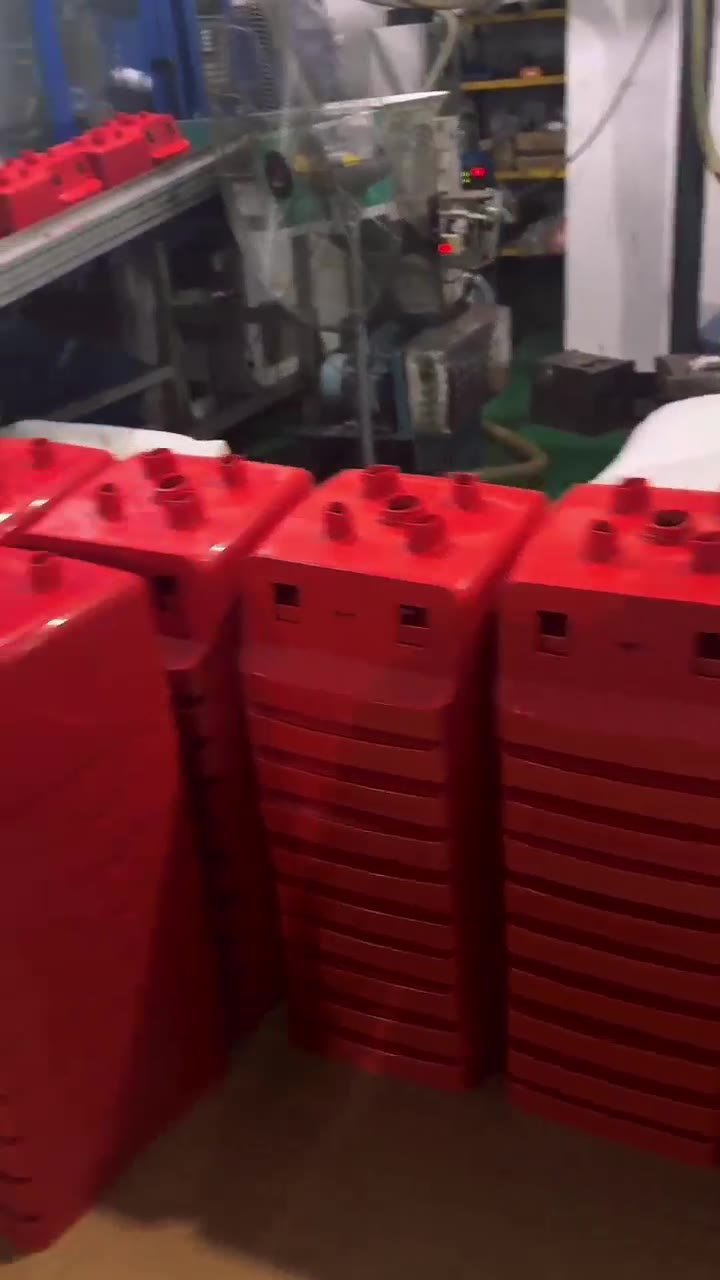
Separate packed, held, reworked and rejected quantities, then connect only accepted output to the inspection result and final packing list.Dated packing-workshop footage can show visible retail boxes, manuals, labels, inner protection and finished cartons at the time recorded. It does not approve artwork for another buyer, PO, SKU or revision, and it does not prove total quantity, current inventory, inspection release or shipment readiness.
Before approving the first packed unit, compare the exact SKU, authorized artwork revision, packing BOM, barcode, carton mark, language, accessories and protection. Keep that record with the pre-shipment inspection result, the production-confirmed carton data and the final shipment document set.
Quotation and Artwork Brief
Send one complete OEM packaging request
| Buyer identity | Company name, country, sales channel and authorized artwork approver |
|---|---|
| Order basis | Product, exact model, quantity and approved sample or specification revision |
| Electrical market version | Plug, voltage, frequency, power and required rating-label information |
| Brand files | Authorized vector logo, brand colors and product-logo placement request |
| Retail package | Color-box language, barcode, importer information, claims and required inserts |
| Documents | Manual language, warnings, warranty card or other buyer-supplied market content |
| Logistics | Carton mark, destination port, inspection requirement and required warehouse date |
Buyer Questions
Questions importers ask before approving packaging
Can the factory create the packaging artwork?
Design support depends on the project. The buyer must still supply authorized brand files, market language, barcode and approved claims, then approve the final production files.
Who supplies the retail barcode?
The buyer or authorized barcode owner should allocate and approve it. The factory can apply and check the supplied barcode file but should not invent the buyer's retail identity.
Is a PDF approval enough?
A controlled PDF is essential. For color-sensitive or high-risk packaging, a physical proof or first printed sample provides additional print evidence.
Can artwork change after the order is released?
Only through documented change approval. The buyer and factory should confirm the new revision, affected quantity, obsolete materials and any schedule or cost impact before use.
Does one approval cover future orders?
Only if the same product, packaging and market version remain active. Each repeat PO should reference the approved revision or release a controlled update.
Do all products have the same certification documents?
No. Required documents and available evidence depend on the exact model and target market. Confirm them before printing any certification statement or mark.
Does packaging visible in a factory video approve my OEM artwork?
No. The footage is process context only. Each order needs the exact buyer, PO, SKU and authorized artwork revision, followed by a dated first-packed-unit check.
What should match before the first packed unit is approved?
Match the exact SKU, artwork revision, packing BOM, rating label, manual, barcode, carton mark, accessories and protection, then record the result and any exception.
Continue the Procurement System
Connect packaging approval to product and order control
OEM or ODM scope
Choose the correct customization route before artwork starts.
Open OEM/ODM GuideGolden sample
Freeze the product version that every package must describe.
Open Golden Sample GuideFirst packing output
Review visible inner protection, retail-box handling and finished-carton staging, then match it to the approved artwork revision.
Open Packing EvidencePurchase order release
Attach approved artwork revisions to the commercial and technical order pack.
Open PO ChecklistPre-shipment inspection
Verify printed packaging, included documents and carton identity before release.
Open Inspection GuideCarton data and CBM
Use the approved packing version to confirm units per carton, dimensions, weight and expected carton count.
Open Carton Data GuideShipment documents
Carry the released SKU, packing and carton identity into the packing list and loading record.
Open Shipment Document GuideEcommerce OEM project
Connect the approved product and artwork to fulfillment, listing consistency, returns and repeat-order control.
Open Ecommerce OEM Route